
Average percentage calculator
Find the average of any list of percentages. If they come from different totals, add each total and the calculator gives the correct weighted result, with every step shown.

 By Miriam Ong Ante · Reviewed by Mohammad Majd✓ Fact-checked
Leave "Out of" empty for a simple average. Fill it in when each percentage comes from a different total, such as 10 quiz points and 100 exam points. You can also paste a column from Excel into any box.
How to use the average percentage calculator
- 1Enter your percentages
Type one percentage per row. The % sign is optional, and a new row appears as you fill the last one.
- 2Add totals if they differ
If the percentages come from different totals or group sizes, put each total in the "Out of" column.
- 3Or switch to marks
Use the Marks or scores tab to enter marks obtained and total marks and get your overall percentage.
- 4Press Calculate
You get the average percentage, the simple and weighted results side by side, and every step of the math.
Step-by-step solution
What is an average percentage?
An average percentage is one percentage that sums up several others. If you scored 72%, 85%, 90% and 68% on four tests marked out of 100, your average percentage is 78.75%.
The tricky part is that a percentage hides its total. 90% could be 9 out of 10 or 900 out of 1,000. When the totals match, a plain average works. When they differ, you need a weighted average instead.
How to average percentages
When every percentage comes from the same total, use the normal average formula:
average percentage = (p₁ + p₂ + … + pₙ) / n
- Add all the percentages together.
- Count how many percentages there are.
- Divide the sum by the count.
For 72%, 85%, 90% and 68%: 72 + 85 + 90 + 68 = 315, and 315 / 4 = 78.75%. The “Monthly scores” sample in the calculator runs this example.
Can you average percentages?
Only when each percentage is based on the same total. If the totals differ, adding the percentages and dividing gives the wrong answer.
Say you scored 90% on a 10-point quiz and 60% on a 100-point exam. The plain average is (90 + 60) / 2 = 75%. But you earned 9 + 60 = 69 points out of 110, which is 62.73%. The plain average treats the small quiz as if it counted as much as the exam, so it overstates your score by more than 12 points.
The calculator shows both numbers when you enter totals, so you can see how far apart they are for your own data.
How to find the average of percentages with different totals
Turn each percentage back into a count, add the counts, and divide by the combined total:
average percentage = Σ(p × total) / Σ(total)
Example: survey results from three groups
A survey found that 45% of 200 students, 60% of 50 teachers and 30% of 150 parents agreed with a new timetable.
- Students: 45% of 200 = 90 people
- Teachers: 60% of 50 = 30 people
- Parents: 30% of 150 = 45 people
- Total: 165 people out of 400
- Average percentage: 165 / 400 × 100 = 41.25%
The simple average of 45%, 60% and 30% is 45%, which overweights the small group of teachers. Enter the group sizes in the “Out of” column to get 41.25%.
Average of two percentages
With two percentages from the same total, add them and divide by 2. 40% and 80% average to 60%.
If the totals differ, use the counts. 40% of 20 is 8 and 80% of 60 is 48, so the average is 56 / 80 = 70%. The larger group pulls the result toward its own percentage.
Overall percentage from marks
To get your overall percentage across subjects or tests, add the marks you scored, add the maximum marks, and divide:
overall percentage = total marks obtained / total maximum marks × 100
With 42 out of 50, 71 out of 100 and 18 out of 25, you have 131 out of 175, which is 74.86%. Averaging the three subject percentages (84%, 71% and 72%) would give 75.67% instead. Switch to the “Marks or scores” tab to work this out with your own marks.
Average percentage in Excel and Google Sheets
For percentages with the same total, AVERAGE works in both Excel and Google Sheets. With percentages in A2:A5:
=AVERAGE(A2:A5)
For percentages with different totals in column B, weight each one by its total:
=SUMPRODUCT(A2:A5, B2:B5) / SUM(B2:B5)
If the percentages are stored as percent values (90% is really 0.9 in the cell), format the result cell as a percentage so it shows 62.73% instead of 0.6273. If you typed plain numbers such as 90, the result is already in percent.
Common mistakes when averaging percentages
Ignoring the totals
This is the quiz and exam problem above. If one percentage comes from 10 items and another from 100, they cannot count equally.
Adding percentages instead of averaging them
Scoring 60% on one test and 80% on another does not make 140%. Adding percentages only makes sense when they are parts of the same whole, such as 30% rent and 20% food adding up to 50% of one budget.
Averaging percentage changes
A price that rises 10% and then falls 10% does not end where it started. 100 becomes 110, then 99, a 1% loss overall. For growth rates over time, the geometric mean gives the correct average, not the plain average of the changes.
Why choose our average percentage calculator?
What you get with this free average percentage calculator:
- Leave the totals empty for a simple average, or fill them in and get the weighted result automatically.
- When you enter totals, the simple and weighted averages appear side by side with a warning if they differ.
- A separate Marks or scores tab turns marks obtained and total marks into your overall percentage.
- Paste a column from Excel or Google Sheets into any box instead of typing each value.
- The step-by-step solution uses your numbers, including the points behind each percentage.
- Free to use
- No sign-up
- Step-by-step working
- Overall percentage from marks
- Works on mobile
Frequently asked questions
How do you calculate an average percentage?
Add the percentages and divide by how many there are, as long as they all come from the same total. For 70%, 80% and 90%: 240 / 3 = 80%.
Can you average percentages with different totals?
Not directly. Convert each percentage into a count, add the counts, and divide by the sum of the totals. 90% of 10 and 60% of 100 give 69 / 110 = 62.73%, not 75%.
How do I add percentages together to get an average?
Add them, then divide by the number of percentages. Adding alone gives a sum, which can go above 100% and is not an average.
How do I find the average of 4 percentages?
Add the four and divide by 4. 72%, 85%, 90% and 68% add up to 315, and 315 / 4 = 78.75%.
How do I calculate my overall percentage from marks?
Add all the marks you scored, divide by the total maximum marks and multiply by 100. 131 out of 175 is 74.86%.
How do you calculate an average percentage in Excel?
Use =AVERAGE(range) when the totals are the same. When they differ, use =SUMPRODUCT(percentages, totals) / SUM(totals).
Is the average of percentages the same as the percentage of the total?
Only when every percentage has the same total. Otherwise the percentage of the combined total is the correct figure, and a plain average of the percentages will be off.
Explore our other calculators



Our latest blogs
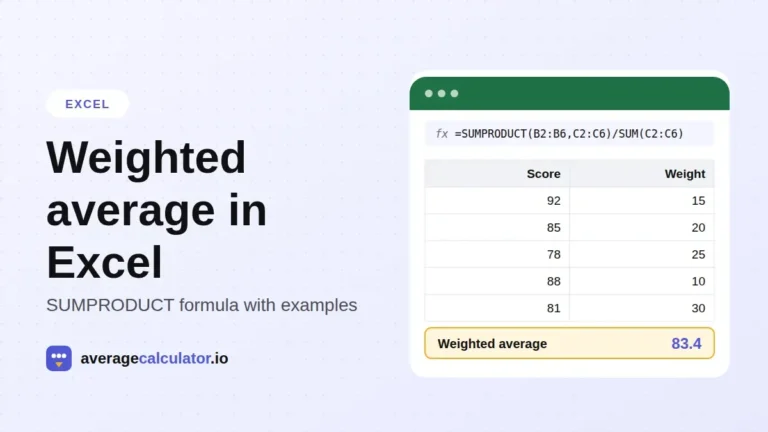
How to calculate a weighted average in Excel, with examples
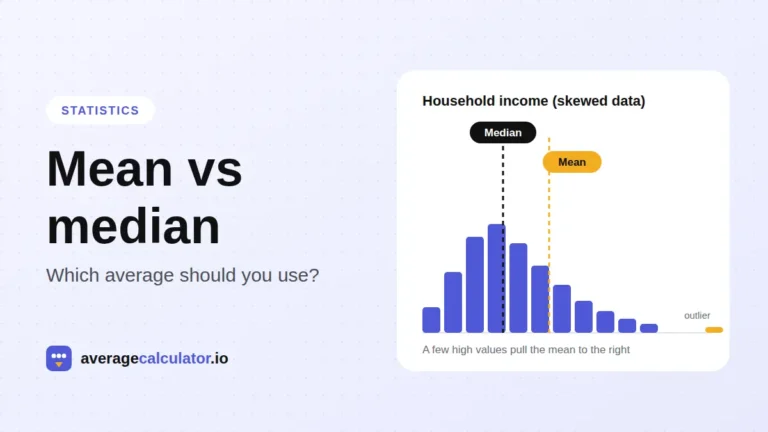
Mean vs median: which average should you use?
Who made this calculator
Spotted a mistake in this calculator? Tell us the numbers you used and what you expected, and we will check it.
Report an error